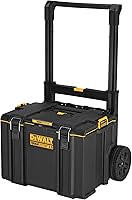
How to Separate and Lock Milwaukee Packout Boxes
To separate Milwaukee Packout boxes, release the connection between modules and move the upper box in the direction its instructions show. Work from the top of a stable stack; lid latches, handle pins, and drawer latches serve different jobs.
On this page (7 sections)
- How do you separate Milwaukee Packout boxes?
- How do you lock Packout boxes together?
- Which rolling box suits a mobile Packout setup?
- Which accessories solve mounting, clearance, or latch problems?
- What should you check before moving a Packout stack?
- How should you organize and care for boxes between jobs?
- How to separate Milwaukee Packout boxes and choose the right next step
To separate Milwaukee Packout boxes, release the connection between modules, then move the upper box in the removal direction shown in its instructions. Start at the top of a stable stack, keeping lid closures separate from the mechanism that joins the boxes.
Most separation problems call for a connection check, not a new accessory. Decide whether you're removing a module, reducing handle height, adding a holder, or repairing a drawer before buying parts.
How do you separate Milwaukee Packout boxes?
Work from the top down and release one connection at a time. Keep control of the upper box throughout removal, especially when its contents can shift.
- Park on firm, level ground. Leave enough room beside the stack to set down each removed module without blocking your feet.
- Prepare the box. Close its lid and drawers, secure loose tools, and remove contents if the loaded box is awkward to lift.
- Clear the joint. Check for straps, cords, or attached holders that cross between modules or obstruct the removal path.
- Identify the module release. Use the instructions for that connection, rather than opening the lid latches or pulling the rolling handle.
- Release and remove. Follow the specified movement, including any sliding step, before lifting the module clear and setting it down.
Don't pull a lower box out while leaving unsupported modules above it. Removing smaller sections gives you more control than trying to handle several loaded boxes together.
How do you separate Milwaukee Packout boxes when the joint binds?
Set the upper box back into its normal seated position before trying the release again. Pulling at an angle can keep pressure on a connection that needs to move along a defined path.
Check the visible joint for packed debris, a caught strap, or an accessory pressing against the next box. If the release still won't move, stop rather than using a screwdriver as a lever.
Cracked parts, distorted connection points, or a release that won't return need attention before the stack travels. Contact Milwaukee support for guidance on a damaged mechanism.
How do you lock Packout boxes together?
Align the modules and fully engage their connection before adding more boxes. Closing a lid latch secures a lid; it doesn't establish that the stack is connected.
Check that the mating surfaces are clear and that the boxes sit in their intended position. Follow the engagement check in the module instructions, supporting the box while checking for unexpected movement.
If a module won't seat, remove it and inspect the alignment instead of pressing down harder. A strap end or loose item caught between boxes can prevent proper engagement.
Choose module sizes around both storage space and removal clearance. Milwaukee Packout dimensions and sizes can help you plan space around a vehicle opening, shelf, or workbench.
Does separating the boxes involve the contents lock?
A contents lock and a module connection serve different purposes. Identify both before assuming that removing a padlock will free a box from the stack.
The Milwaukee Packout 22-Inch Rolling Tool Box has a metal-reinforced locking point. Check compatible lock dimensions, including shackle clearance, before choosing a padlock.
Which rolling box suits a mobile Packout setup?
Choose the Milwaukee Packout 22-Inch Rolling Tool Box if you need a wheeled base for compatible Packout modules. Skip it if you only need help releasing boxes you already have.
It measures 22.1 x 18.9 x 25.6 inches and weighs 23.4 lb empty. Measure the vehicle opening and lifting space, since a box that fits on the floor may still be awkward to load.
Its impact-resistant polymer body, all-terrain wheels, and IP65-rated weather seal suit mobile storage. Keep the seal and closing surfaces clear of grit so debris doesn't interfere with closure.
This box has 1 main compartment and doesn't include an interior organizer tray. Plan separate small-parts storage if you don't want bits, sockets, and fasteners mixed with larger tools.
The Milwaukee Packout rolling tool box review gives you a closer look at this base. For other mobile storage layouts, compare best rolling tool boxes.
Which accessories solve mounting, clearance, or latch problems?
Match the accessory to the job it actually performs. None of the parts below replaces the normal release between stacked modules.
Who should choose BPOPO rail mounts?
Choose BPOPO connectors for custom holders on compatible aluminum side rails. Skip them if your box lacks those rails or your goal is simply to separate modules.
These third-party connectors use 6061-T6 aluminum and provide M4 threaded holes. Their clamshell design fits around compatible rails without requiring rail removal, which suits DIY brackets, hooks, and tool holders.
Plan the holder's position before tightening the hardware. Leave clearance for lids, drawers, handles, and the path each module follows during removal.
Account for how far the attachment sticks out, not just its weight. A long bracket can catch a doorway or vehicle opening, and it shouldn't become a lifting handle for the toolbox.
Who should choose Metalmark handle release pins?
Choose Metalmark pins if a compatible rolling toolbox handle prevents your setup from fitting beneath a cover or into storage. Skip this modification if separating the upper boxes already gives you enough clearance.
The kit includes 2 stainless steel pins, a 5 mm drill bit, a threaded tapping bolt, and instructions. It is a handle modification, so read the full installation process before drilling or tapping anything.
Measure the actual clearance problem first, then confirm handle compatibility. Removing a handle won't reduce the width of the box or solve a stack that's too tall because of its upper modules.
After installation, check pin retention and handle engagement as directed before moving a load. Store removed parts together so transport doesn't leave you searching for a pin.
Who should choose a myusya replacement drawer latch?
Choose the myusya latch for a matching damaged drawer-toolbox latch. Skip it for a broken lid closure, rolling handle, or connection between modules.
The replacement parts use 3D-printed PETG. Compare the latch shape, attachment points, and position with your existing part, and inspect the surrounding box for damage before ordering.
Myusya describes installation as requiring no special tools. After fitting the part, check that the drawer closes and stays secured through its intended motion before loading it for transport.
What should you check before moving a Packout stack?
Check the connections, closures, load balance, and travel route separately. A stack can be connected correctly while still being difficult to control.
Keep dense tools low and avoid concentrating weight on one side. Follow the limits for each module and accessory rather than treating the rolling base's capacity as permission to load every attachment heavily.
Look ahead for steps, slopes, narrow doors, and loose ground. Break the stack into manageable sections when the route requires lifting or makes a tall load hard to control.
Keep hands clear of the joint as modules seat, and don't use an added hook or holder to lift a box. Stop if a module shifts unexpectedly or an attachment catches.
How should you organize and care for boxes between jobs?
Pack by task so you only separate the modules a job needs. Put frequently used items where you can reach them without dismantling the whole stack.
A box devoted to drilling supplies or electrical work is easier to remove as one unit than several boxes containing mixed tools. Label modules clearly enough to identify them from the side.
Plan a clear place to set down removed boxes before starting work. This keeps the release area accessible and reduces repeated lifting when you rebuild the stack.
Brush away loose dirt around connection points and wipe accessible surfaces before reconnecting modules. Follow the care instructions before adding lubricant or using cleaners around plastics, seals, and moving parts.
Inspect latches, pins, rail hardware, and connection points during routine cleanup. Catching a loose attachment before loading is easier than dealing with it during a move.
Use how to organize a tool chest for tool-grouping ideas. For choosing which modules belong in the stack, read how to choose a modular rolling tool box system.
How to separate Milwaukee Packout boxes and choose the right next step
For routine separation, use the module release and keep the removal path clear. If a connection binds, resolve the obstruction or damage before spending money on unrelated parts.
Choose the Milwaukee rolling box for a mobile base, BPOPO mounts for side-rail holders, Metalmark pins for handle clearance, and myusya parts for a matching drawer-latch repair.
If frequent unstacking is slowing your work, reconsider which tools belong in each module before adding more storage. Compare best stackable tool boxes to choose a layout that suits how you load, move, and reach your tools.
Frequently asked questions
How do you separate Milwaukee Packout boxes?
Release the connection between modules, then move the upper box in the removal direction shown in its instructions. Start at the top with the stack on level ground.
Keep lids closed, clear anything bridging the boxes, and get help if the loaded module is too heavy to control.
How do you lock Milwaukee Packout boxes together?
Align the connection points and engage the modules using the instructions for your exact boxes. Check that each connection holds before adding another module.
Closing lid latches doesn't connect the stack.
Before transport, check the module connections, lids, drawers, and accessories separately so an unsecured part doesn't get overlooked.
Can you lock Packout boxes with a padlock?
The Milwaukee Packout 22-Inch Rolling Tool Box has a metal-reinforced locking point. Check the required lock dimensions before choosing a padlock, including clearance for the shackle.
A contents lock and a module connection serve different purposes.
Locking the box doesn't replace checking that the stack is properly connected.
Can you replace a broken Packout latch?
Yes, if you can match the replacement to the damaged mechanism and exact toolbox. The myusya Replacement Latch, 2-Pack is intended for Milwaukee Packout drawer toolboxes.
Inspect the surrounding mounting area too.
A replacement drawer latch won't repair a damaged box body, lid closure, or connection between stacked modules.